EBS snapshots play an important role when it comes to backup of your ec2 instance data. It gives you a point in time backup and resilience to your data. In this tutorial, I will guide you to automate EBS snapshot creation and deletion using AWS Lambda functions.
Automate EBS snapshot Creation and Deletion
We will use python 2.7 scripts, lambda, IAM role and cloud watch event schedule for this setup.
For this lambda to work, you need to create a tag named “backup” with value true for all the instance for which you need a backup for.
For setting up a lambda function for creating automated snapshots, you need to do the following.
- Set up the python script with necessary parameters.
- An IAM role with snapshot create, modify and delete access.
- Create a lambda function with the python script.
Configure Python Script
Following python code will create snapshots on all the instance which have a tag named “backup”.
Note: You can get all the code from here
import boto3
import collections
import datetime

ec = boto3.client('ec2')

def lambda_handler(event, context):
    reservations = ec.describe_instances(
        Filters=[
            {'Name': 'tag-key', 'Values': ['backup', 'Backup']},
        ]
    ).get(
        'Reservations', []
    )

    instances = sum(
        [
            [i for i in r['Instances']]
            for r in reservations
        ], [])

    print "Found %d instances that need backing up" % len(instances)

    to_tag = collections.defaultdict(list)

    for instance in instances:
        try:
            retention_days = [
                int(t.get('Value')) for t in instance['Tags']
                if t['Key'] == 'Retention'][0]
        except IndexError:
            retention_days = 10

        for dev in instance['BlockDeviceMappings']:
            if dev.get('Ebs', None) is None:
                continue
            vol_id = dev['Ebs']['VolumeId']
            print "Found EBS volume %s on instance %s" % (
                vol_id, instance['InstanceId'])

            snap = ec.create_snapshot(
                VolumeId=vol_id,
            )

            to_tag[retention_days].append(snap['SnapshotId'])

            print "Retaining snapshot %s of volume %s from instance %s for %d days" % (
                snap['SnapshotId'],
                vol_id,
                instance['InstanceId'],
                retention_days,
            )


    for retention_days in to_tag.keys():
        delete_date = datetime.date.today() + datetime.timedelta(days=retention_days)
        delete_fmt = delete_date.strftime('%Y-%m-%d')
        print "Will delete %d snapshots on %s" % (len(to_tag[retention_days]), delete_fmt)
        ec.create_tags(
            Resources=to_tag[retention_days],
            Tags=[
                {'Key': 'DeleteOn', 'Value': delete_fmt},
                {'Key': 'Name', 'Value': "LIVE-BACKUP"}
            ]
        )
Also, you can decide on the retention time for the snapshot. By default, the code sets the retention days as 10. If you want to reduce or increase the retention time, you can change the following parameter in the code.
retention_days = 10
The python script will create a snapshot with a “Deletion” tag with the “Date” calculated based on the retention days. This will help in deleting the snapshots which are older than the retention time.
Lambda Function To Automate Snapshot Creation
Now we have our python script ready for creating snapshots. We need to add this script to a Lambda function so that we can setup triggers to execute the lambda function whenever a snapshot is required.
Follows the steps given below for creating a lambda function.
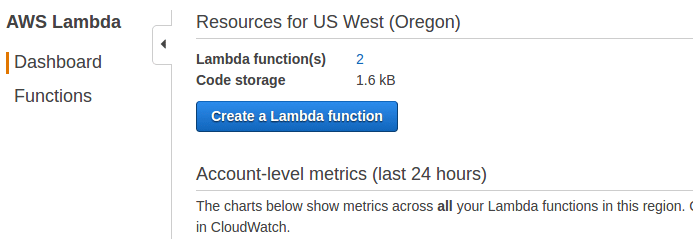
Step 1: Head over to lambda service page and select “create lambda function”.
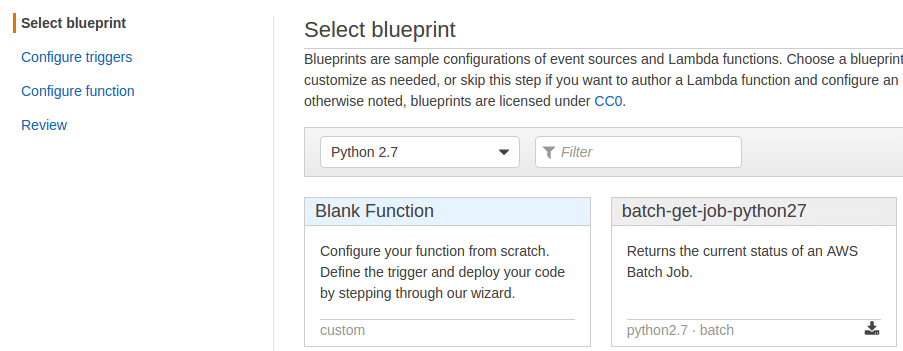
Step 2: Choose python 2.7 runtime and select blank function option.
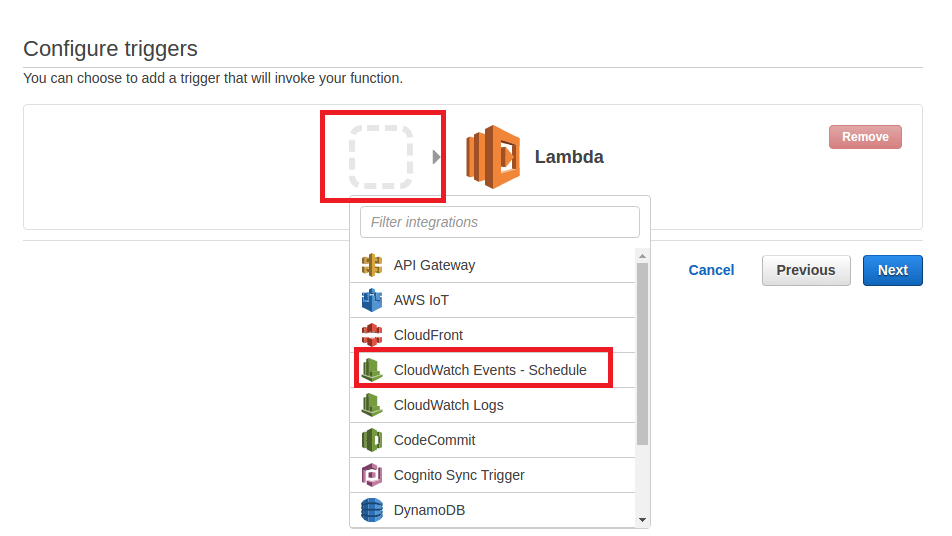
Step 3: Next page, you need to configure a trigger to run the lambda function. We will choose “cloudwatch event” option to schedule a trigger. Click on the dotted rectangle to get the trigger options. And then, select “cloudwatch events – Schedule options” as shown in the image below.
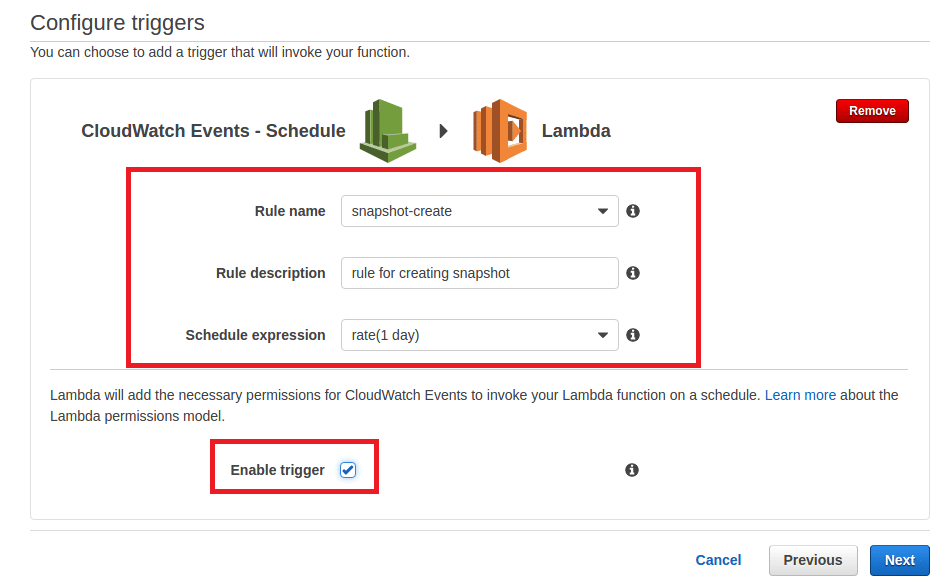
Step 4: In the next page fill in the rule name, rule description, and a schedule expression. You can choose a schedule expression based on how often you need a snapshot. You can start from 1 minute to a custom cron definition. So it depends on your use case.
Step 4: In the next page, enter the lambda function name and select python 2.7 runtime environment. Under “Lambda Function Code” select “code inline” option and paste the python code for snapshot create.

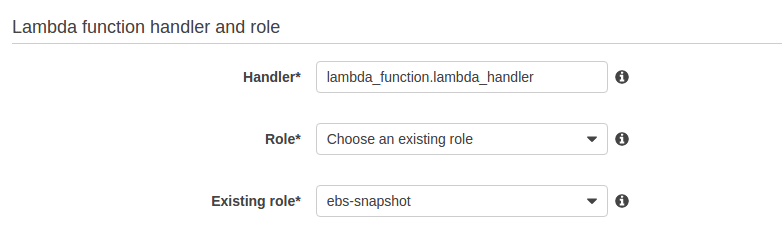
Make use you attach or create a role which allows lambda to create, modify and delete snapshots
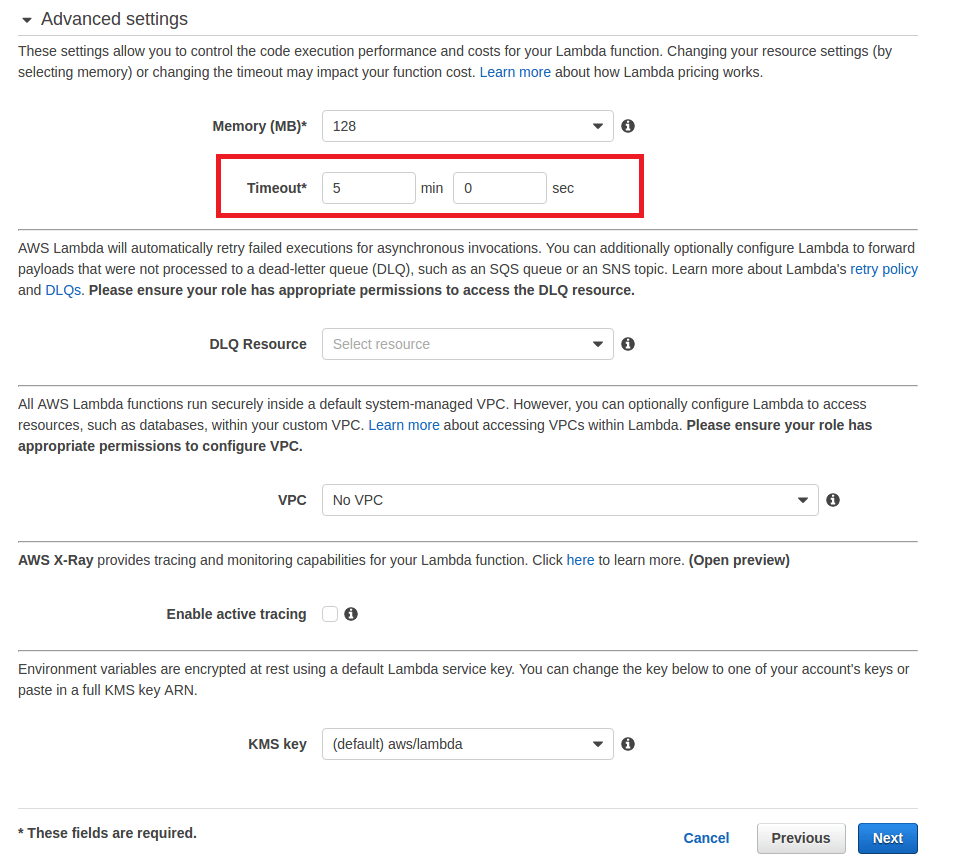
Also in the advanced settings below, make sure you have the timeout set more than one minute. I have given 5 minutes as shown in the image below. Click next once you are done with the configuration.
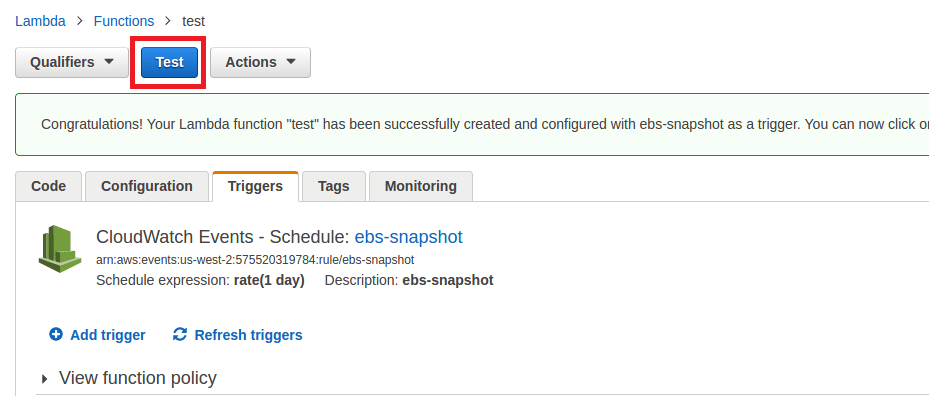
Step 5: In the next page, verify your configuration and click “create function” option. You will be presented with a page having “test” option. You can test the function using the test button or else, based on the cloudwatch event, the function will get triggered.
Automated Deletion Of EBS Snapshots
We have seen how to create a lambda function to create snapshots of instances tagged with “backup” tag. We cannot keep the snapshots piling up over the time. That’s the reason we used the retention days in the python code. It tags the snapshot with the deletion date.
Now, the deletion python script with a scan for snapshots with a tag with value matched the current date. If a snapshot matches the requirement, it will delete that snapshot. This lambda function has to be run every day to delete the old snapshots.
Copy the following python script and create a lambda function with execution schedule as one day. You can follow the same steps I explained above for creating the lambda function for deleting the snapshots. Only the parameters will change.
Here is the python code for snapshot delete.
import boto3
import re
import datetime

ec = boto3.client('ec2')
iam = boto3.client('iam')

def lambda_handler(event, context):
    account_ids = list()
    try:
        """
        You can replace this try/except by filling in `account_ids` yourself.
        Get your account ID with:
        > import boto3
        > iam = boto3.client('iam')
        > print iam.get_user()['User']['Arn'].split(':')[4]
        """
        iam.get_user()
    except Exception as e:
        # use the exception message to get the account ID the function executes under
        account_ids.append(re.search(r'(arn:aws:sts::)([0-9]+)', str(e)).groups()[1])

    delete_on = datetime.date.today().strftime('%Y-%m-%d')
    filters = [
        {'Name': 'tag-key', 'Values': ['DeleteOn']},
        {'Name': 'tag-value', 'Values': [delete_on]},
    ]
    snapshot_response = ec.describe_snapshots(OwnerIds=account_ids, Filters=filters)

    for snap in snapshot_response['Snapshots']:
        print "Deleting snapshot %s" % snap['SnapshotId']
        ec.delete_snapshot(SnapshotId=snap['SnapshotId'])
Hope this article helps. Contact us at contact@devopscube.com, if you need custom lambda solutions.
Reference: https://serverlesscode.com
The post How to Automate EBS snapshot Creation and Deletion Using Lambda appeared first on DevopsCube.
Comments
Post a Comment